Assessment Answers Overview
With eLearnCommerce you can get a full overview of all submitted answers for a particular assessment.
This means you can generate a report containing all answers submitted by all students to all questions present in a particular assessment.
In order to generate this overview, follow these steps:
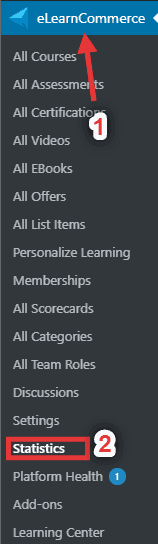
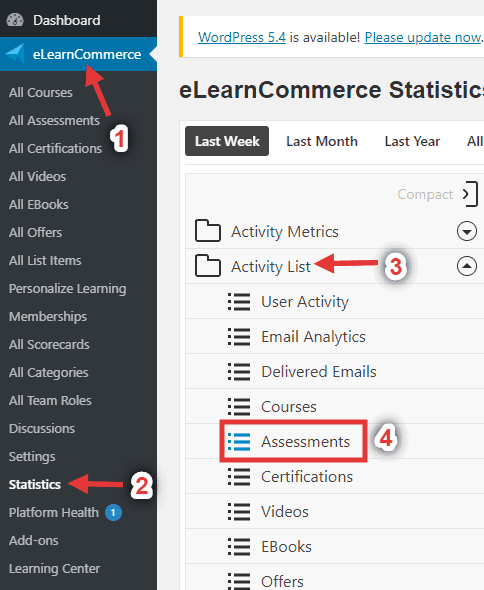
1.: In your WordPress Dashboard, go to eLearnCommerce -> Statistics.
2.: Click Activity List -> Choose Assessments.
3.: From there, you will be able to see their names, links to their profile, emails, roles, course name, event, segment, when they started, team role and analyze for detailed information

Click Download if you’d like to download the overview of submitted answers.